The ILNumerics Feature List
With ILNumerics you can easily implement your numerical algorithms in applications / custom GUIs using .NET.
Learn more about:
- Core Features of the ILNumerics Computing Engine
- How ILNumerics achieves its outstanding performance
- Visualisations and plotting capabilities
- Toolboxes
- Microsoft® Visual Studio® Integration
- Misc.
For deeper insights visit the documentation section.
The combination of convenient syntax and high performance is provided by ILNumerics' generic Array Classes. ILNumerics features a large collection of computational functions that serve as the base of higher level algorithms.
Array Classes
ILNumerics is based on efficient generic array classes - capable of serving as scalar, vector, matrix or n-dimensional arrays, especially supporting real and complex elements in single and double precision and integer elements, where applicable. Arrays exist as dense arrays, logical arrays and cells.
The API has been designed with the most convenient syntax in mind. Language features are tightly oriented towards popular mathematical scripting languages. Efficient subarray creation, array modifications and overloaded operators allow for an intuitive syntax - without any performance sacrifice.
Visual Studio Integration
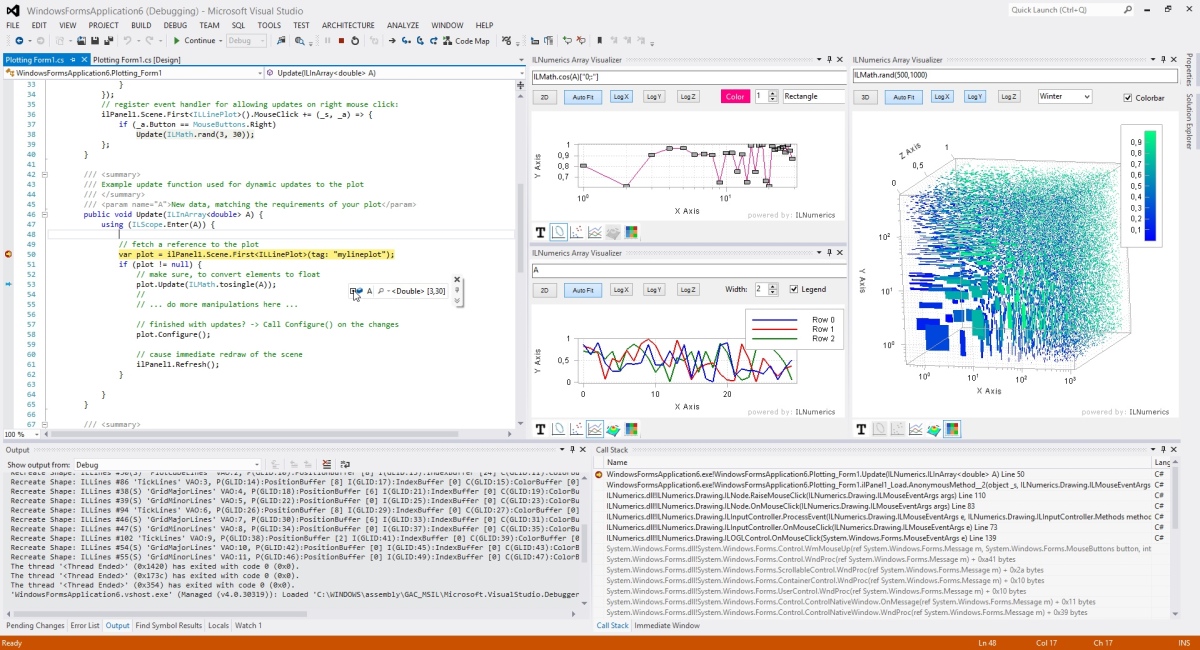
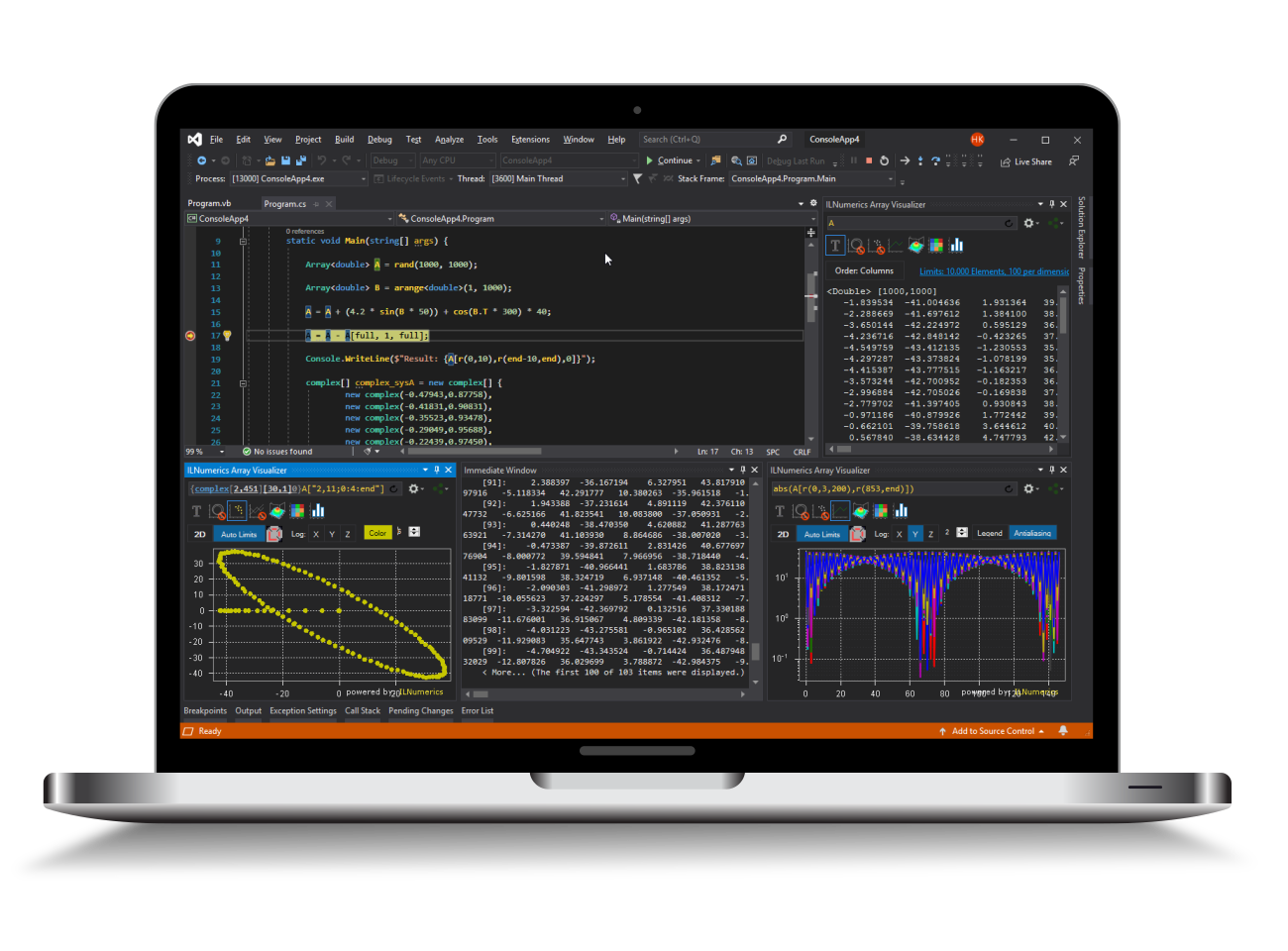
Our Array Visualizer is the first of its kind which allows to actually watch your algorithm in a graphical way. ILNumerics arrays - building blocks of every technical algorithm - are visualized in various flexible and convenient 2D and 3D plot types, which automatically follow your data while debugging.
In addition to that you will find a number of quick start project items, graphical 3D plot controls and convenient debugger visualizers on cell arrays, scene graph objects, HDF5 data structures an many more. Read more...
Built In Functions
For numerical arrays ILNumerics provides a large collection of computational functions covering a wide range of numeric algebra. Included are trigonometric functions, all important matrix decompositions, equation solver, eigenvalues, efficient sorting and integral transformations. They serve as the fundamental base of higher level algorithms in ILNumerics.
Algebraic Functions
All important trigonometric functions are included in the collection of built in functions: cos, sin, tan, the inverse trigonometric functions asin, acos, atan2 and its hyperbolic counterparts sinh, cosh, and tanh. A large collection of common array manipulation functions is provided, which includes abs, all, and, any, cart2pol, ceil, cell, conj, diff,empty, exp, eye, find, fix, fliplr, flipud, floor, ge, gt, horzcat, imag, ccomplex, ind2sub, isempty, isequal, isequalwithequalnans, isfinite, isinf, isnan, isneginf, isnull, isnullorempty, isposinf, le, load, log, log10, logspace, lt, max, maxall, mean, meshgrid, min, minall, mod, multiply, neq, ones, or, pol2cart, pow, prod, r, rand, randn, randperm, real, real2complex, real2fcomplex, repmat, reshape, round, set, sign, sort, sqrt, sub2ind, subtract, sum, sumall, trace, vec, vertcat, xor, and zeros.
Linear Algebra
Processor specific BLAS libraries highly speed up all matrix computations. ILNumerics relies on Intels® performance optimized Math Kernel Library (MKL) as reliable LAPACK implementation. Custom implementations can get incorporated. Out of the box, all standard matrix decompositions (SVD, QR, LU, PINV, CHOL, ...), linear equation solvers, generalized eigenvalues and all common miscellaneous matrix operations like determinants and rank retrieval are provided.
Fourier Transforms
State of the art FFT routines enable the full spectrum of fourier transforms for single and double precision arrays: real and complex transforms, forward and backward transforms and transformations in one, two or n-dimensions. FFTs rely on the MKL internally. Prepared interfaces exist for FFTW and for AMDs ACML.
Sorting
Based on the quick sort algorithm, sorting is possible for numerical arrays along arbitrary dimensions, with optional index retrieval. ILNumerics sorting easily beats the speed of the .NET implementation (Array.Sort) by factors.
While the .NET runtime does an excellent job cleaning up small objects, large numerical arrays cause a serious hit on the GC if created frequently. ILNumerics collects memory in a pool for subsequent requests. The memory footprint of the application decreases drastically.
Execution Speed
ILNumerics mostly runs several times faster than other popular mathematical frameworks. The speed is comparable to native C libraries. This is achieved by saving time in GC, increased memory locality of the data, profound loop optimizations and parallelism.
Monitoring
A number of ILNumerics performance counters is exposed to the Windows Performance Monitor. They give detailed insight into the runtime behaviour, helping to localize possible areas of concern and to gather runtime statistics. The whole spectrum of sophisticated commercial profiling tools is available as well.
Graphics are already inherently built into ILNumerics. All output is based on a dynamic 3D scene graph implementation. It allows the creation of complex interactive visualisations and the enhancement and re-configuration of existing scenes. ILNumerics scenes can be hosted inside a Windows.Forms.Control to add interactivity or used for offscreen rendering without any visual controls. The export into vector and pixel graphics is supported.
Large scenes profit from a transparent memory management based on automatic buffer sharing and reuse. Buffer based rendering provides the fastest user experience on recent graphics cards supporting OpenGL 3.1. For older hardware a GDI+ based software renderer ensures compatibility.
- Full featured dynamic 3D scene graph
- Creation of extensible custom plots
- Support for light and transparency
- Support for clipping and picking
- Export to vector and pixel formats
- Advanced labeling options
- Advanced programmable mouse interaction
- MVC pattern, reusable scenes
- Multithreading ready
- Clean OO design
Plot controls
ILNumerics comes with a number of scientific plots: 1D, 2D and 3D line and scatter plots, 3D surfaces and contour plots. The full spectrum of configurable helpers exist: markers, legends, colorbars, labels. The core of the plotting section is a plot cube implementation. It brings convenient labeling and hosting of arbitrary plots in 3 dimensions. Consistent logarithmic axis scaling is supported as well as clipping and tiling and the enhancement of plots with custom scene graph components.
In ILNumerics, several Toolboxes for Machine Learning, Statistical Functions and Optimization are provided. Read more
Misc.
- ILNumerics is designed for .NET framework version 4.0. On mono we recommend at least version 2.10.
- Support for 32 (.NET CLR / mono) and 64 bit (.NET CLR)
- For linear algebra operations, Intels® optimized Math Kernel Library (MKL) is used, which is part of the ILNumerics distribution.
- Numerical arrays support the loading and saving of Matlab® *.m files, version 6.
- Determination of extended machine properties and numerical constants.
- Support for special numerical states: NaN,+/-Inf.
- Support for sized empty arrays.