Getting Started with ILNumerics
This guide shows how to create your first ILNumerics project, run numerical array code, enable acceleration in Release mode, and generate a simple 3D plot from a .NET console application.
Prerequisites
- Basic experience with the .NET command-line interface
- .NET SDK 8.0 or later
- A terminal or Visual Studio 2022
Open a terminal, create a new Console project and add the ILNumerics.Computing package:
Modify the auto-created Program.cs file to contain 'Console.WriteLine(ILNumerics.ILMath.rand(10, 10));' and run the app:
Now, let's accelerate! Open the auto-created Program.cs file and replace its content with the following code:
Run the application in Release mode to enable ILNumerics Accelerator. The example computes the same expression twice: once as a reference and once with accelerated execution. Both computations likely happen in parallel. The results are then compared to verify correctness.
Create a 3D plot
ILNumerics can no only be used for interactive WinForms / WPF plots! Add the ILNumerics.Drawing package to create a static, offscreen visualization from numerical data.
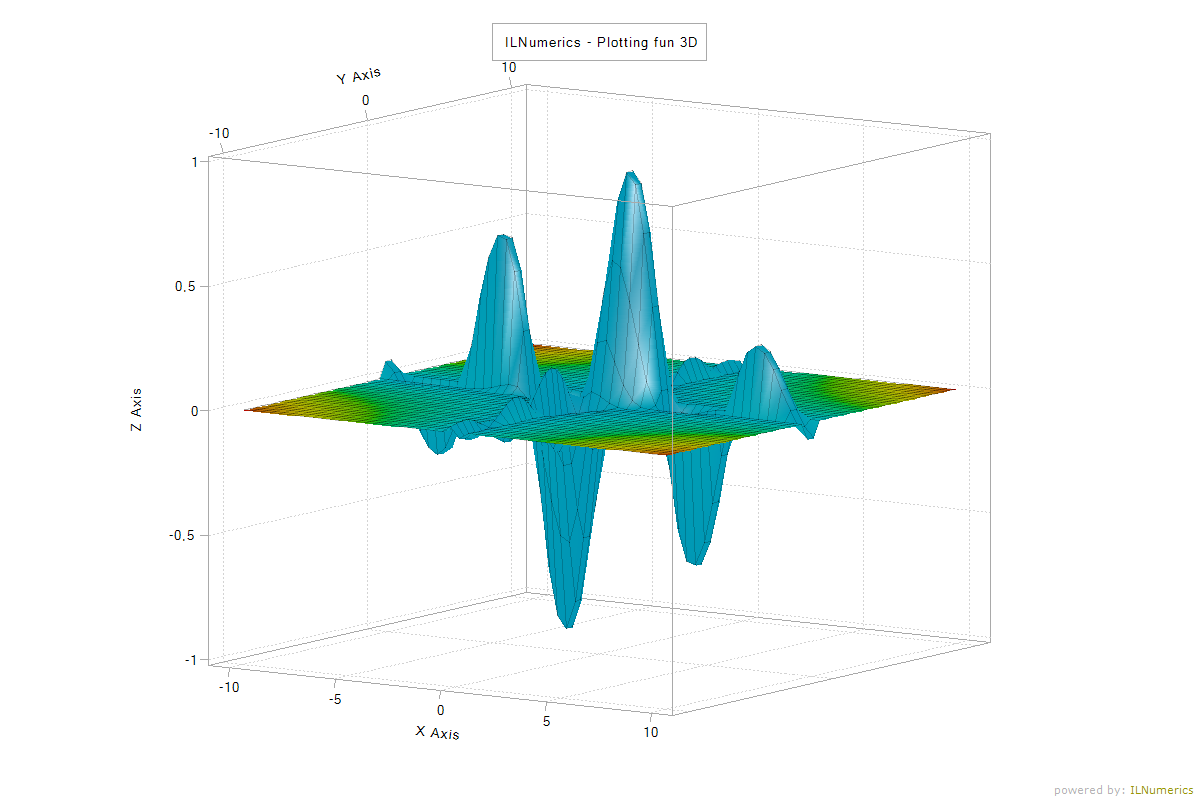
The example replaces the data with a function over a regular grid, renders the scene offscreen and saves the result as an image file, so it also works from a console application.
The generated file shows:
Read more:
- "Learn ILNumerics in Y minutes"-guide
- Comprehensive array documentation
- Visualization Engine documentation
- Accelerator compiler technology & benchmarks
- All online documentation
- Licensing
Contact sales to ask about pricing and license options.