Category Archives: .NET

Large Object Heap Compaction – on Demand ??

In the 4.5.1 side-by-side update of the .NET framework a new feature has been introduced, which will really remove one annoyance for us: Edit & Continue for 64 bit debugging targets. That is really a nice one! Thanks a million, dear fellows in “the corp”!

Another useful one: One can now investigate the return value of functions during a debug session.

Now, while both features will certainly help to create better applications by helping you to get through your debug session more quickly and conveniently, another feature was introduced, which deserves a more critical look: now, there exist an option to explicitly compact the large object heap (LOH) during garbage collections. MSDN says:

If you assign the property a value of GCLargeObjectHeapCompactionMode.CompactOnce, the LOH is compacted during the next full blocking garbage collection, and the property value is reset to GCLargeObjectHeapCompactionMode.Default.

Hm… They state further:

You can compact the LOH immediately by using code like the following:

GCSettings.LargeObjectHeapCompactionMode = GCLargeObjectHeapCompactionMode.CompactOnce;
GC.Collect(); 

Ok. Now, it looks like there has been quite some demand for ‘a’ solution for a serious problem: LOH fragmentation. This basically happens all the time when large objects are created within your applications and relased and created again and released… you get the point: disadvantageous allocation pattern with ‘large’ objects will almost certainly lead to holes in the heap due to reclaimed objects, which are no longer there, but other objects still resisting in the corresponding chunk, so the chunk is not given back to the memory manager and OutOfMemoryExceptions are thrown rather early …

If all this sounds new and confusing to you – no wonder! This is probably, because you are using ILNumerics :) Its memory management prevents you reliably from having to deal with these issues. How? Heap fragmentation is caused by garbage. And the best way to handle garbage is to prevent from it, right? This is especially true for large objects and the .NET framework. And how would one prevent from garbage? By reusing your plastic bags until they start disintegrating and your eggs get in danger of falling through (and switching to a solid basket afterwards, I guess).

In terms of computers this means: reuse your memory instead of throwing it away! Especially for large objects this puts way too much pressure on the garbage collector and at the end it doesn’t even help, because there is still fragmentation going on on the heap. For ‘reusing’ we must save the memory (i.e. large arrays in our case) somewhere. This directly leads to a pooling strategy: once an ILArray is not used anymore – its storage is kept safe in a pool and used for the next ILArray.

That way, no fragmentation occurs! And just as in real life – keeping the environment clean gives you even more advantages. It helps the caches by presenting recently used memory and it protects the application from having to waste half the execution time in the GC. Luckily, the whole pooling in ILNumerics works completely transparent in the back. There is nothing one needs to do in order to gain all advantages, except following the simple rules of writing ILNumerics functions. ILNumerics keeps track of the lifetime of the arrays, safes their underlying System.Arrays in the ILNumerics memory pool, and finds and returns any suitable array for the next computation from here.

The pool is smart enough to learn what ‘suitable’ means: if no array is available with the exact length as requested, a next larger array will do just as well:

public ILRetArray CreateSymm(int m, int n) {
    using (ILScope.Enter()) {
        ILArray A = rand(m,n); 
        // some very complicated stuff here...
        A = A * A + 2.3; 
        return multiply(A,A.T);
    }
}

// use this function without worrying about your heap!
while (true) {
   dosomethingWithABigMatrix(CreateSymm(1000,2000)); // one can even vary the sizes here!
   // at this point, your heap is clean ! No fragmentation! No GC gen.2 collections ! 
}

Keep in mind, the next time you encounter an unexpected OutOfMemoryException, you can either go out and try to make use of that obscure GCSettings.LargeObjectHeapCompactionMode property, or … simply start using ILNumerics and forget about that problem at least.
Troubleshooting: Adding ILNumerics 3D Controls to the VS Toolbox

Adding ILNumerics visualizations to Visual Studio based projects has become a quite convenient task: It’s easy to use the ILNumerics math library for own projects in .NET. However, from time to time users have problems adding the ILNumerics controls to their Visual Studio Toolbox window.

Update: Since ILNumerics Ultimate VS version 4 this issue has been solved once for all. Simply install the MSI installer and find the ILNumerics ILPanel in the toolbox for all applicable situations.

That’s what a post on Stack Overflow from earlier this year was about: A developer who wanted to use our C# math library for 3d visualizations and simulations wasn’t able to access the ILNumerics controls. “How can I locate it?”, he was wondering. “Do I have to make some changes to my VS?”

Adding ILNumerics Controls to the Visual Studio Toolbox manually

If the ILNumerics Ultimate VS math library is installed on a system, normally the ILNumerics controls are automatically listed in the Visual Studio toolbox on all supported versions of Visual Studio. However, if that’s not the case there’s a way to a add them manually: After clicking right onto the toolbox, you can select “Choose Item”. The dialog allows you to select the assambly to load the controls from – that’s it! You will find the ILNumerics.dll in the installation folder on your system. By default this directory is located at:  “C:\Program Files (x86)\ILNumerics\ILNumerics Ultimate VS\bin\ILNumerics.dll”.

However, if that doesn’t work straightaway, it often helps to clear the toolbox from any copies of custom controls before – simply right-click it and choose “Reset Toolbox”.

Need help? ILNumerics Documentation and Support

You want to know more about our math library and its installation? Check out our documentation and the Quick Start Guide! If you have any technical questions, have a look at our Support Section.

C# for 3D visualizations and Plotting in .NET

2D and 3D Visualizations are an important feature for a wide range of domains: both software developers and scientists often need convenient visualization facilities to create interactive scenes and to make data visible. The ILNumerics math library brings powerful visualization features to C# and .NET: ILView, the ILNumerics Scene Graph API and its plotting engine. We’d like to give an overview over our latest achievements.

ILView: a simple way to create interactive 3d visualizations

We have created ILView as an extension to our interactive web component: It allows you to simply try out ILNumerics’ 2d and 3d visualization features by chosing the output format .exe in our visualization examples. But that’s not all: ILView is also a general REPL for the evaluation of computational expressions using C# language. ILView is Open Source – find it on GitHub!

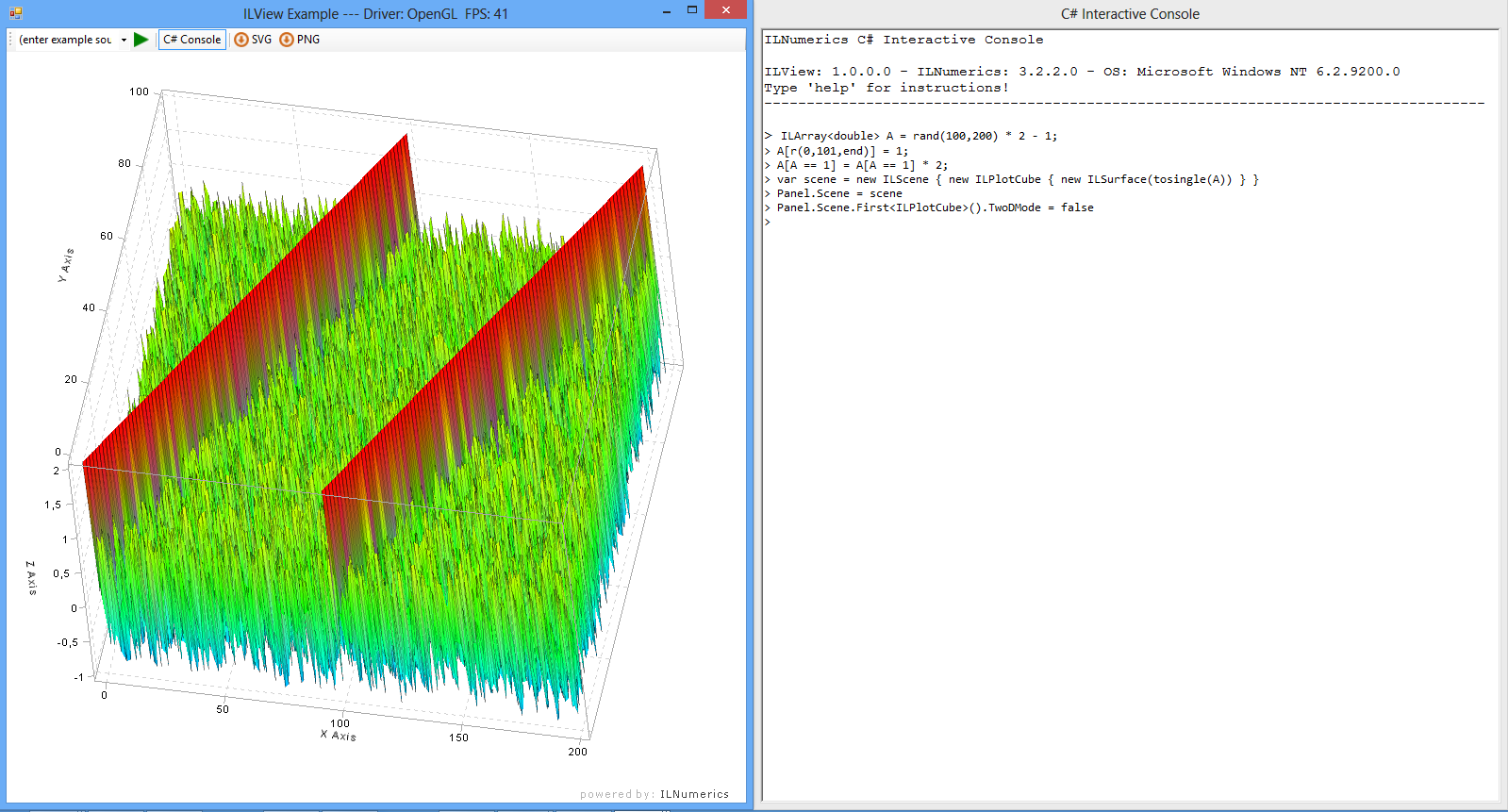
Screenshot of ILView
Using ILView for interactive 3D Visualization

ILNumerics Scene Graph: realize complex visualizations in .NET

The ILNumeric’s scene graph is the core of ILNumerics’ visualization engine. No matter if you want to create complex interactive 3D visualizations, or if you aim at enhancing and re-configuring existing scenes in .NET: The ILNumerics scene graph offers a convenient way to realize stunning graphics with C#. It uses OpenGL, GDI, and it’s possible to export scenes into vector and pixel graphics.

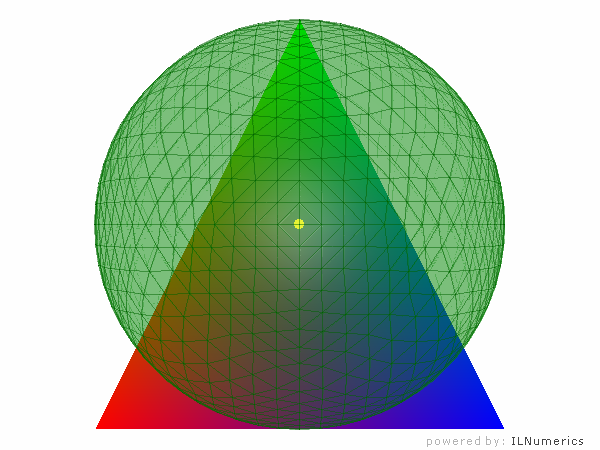
Screenshot of an interactive 3D scene
Using C# for 3D visualizations: the ILNumerics Scene Graph

Scientific Plotting: visualize your data using C#

With ILNumerics’ visualization capabilities, C# becomes the language of choice for scientists, engineers and developers who need to visualize data: Our plotting API and different kinds of plotting types (contour plots, surface plots etc.) make easy work of creating beautiful scientific visualizations.

Screenshot of a Surface Plot in ILNumerics
Scientific Plotting in .NET: A Surface Plot created with ILNumerics

High Performance Fast Fourier Transformation in .NET

„I started using ILNumerics for the FFT routines. The quality and speed are excellent in a .NET environment.“

The Fourier Transform (named after French mathematician and physicist Joseph Fourier) allows scientists to transform signals between time domain and frequency domain. This way, an arbitrary periodic function can be expressed as a sum of cosine terms. Think of the equalizer of your mp3-player: It expresses your music’s signal in terms of the frequencies it is composed of.

The Fast Fourier Transform (FFT) is an algorithm for the rapid computation of discrete Fourier Transforms’ values. Being one of the most popular numerical algorithms, it is used in physics, engineering, math and many other domains.

In terms of software engineering, the Fast Fourier Transform is a very demanding algorithm: In the .NET-framework, a naive approach would cause very low execution speeds. That’s the reason why many .NET-developers have to implement native C-libraries when it comes to FFTs.

ILNumerics uses Intel’s® MKL for Fast Fourier Transforms: That’s why our users don’t have to implement native library’s themselves for high performance FFTs. No matter if they have a scientific or an industrial background, many developers rely on ILNumerics because of its implementation of the Fast Fourier Transform. It’s the fastest you can get today – even for big amounts of data.

ILNumerics provides interfaces to forward and backward Fourier Transformations, for real and complex floating point data, in single and double precision, in one, two or n dimensions. In addition to the MKL’s FFTs, prepared interfaces for FFTW and for AMDs ACML exist.

Learn more about the ILNumerics library and its implementation of Fast Fourier Transformation in C#/.NET in the online documentation!